PyPI supply-chain malware scare & Windows 11 usability reset - Hacker News (Mar 24, 2026)
PyPI malware alarm, Windows 11 “fix” plan, zswap vs zram, ripgrep speed truths, streaming OS images, smart gate hack, missile defense limits—March 24, 2026.
Our Sponsors
Today's Hacker News Topics
-
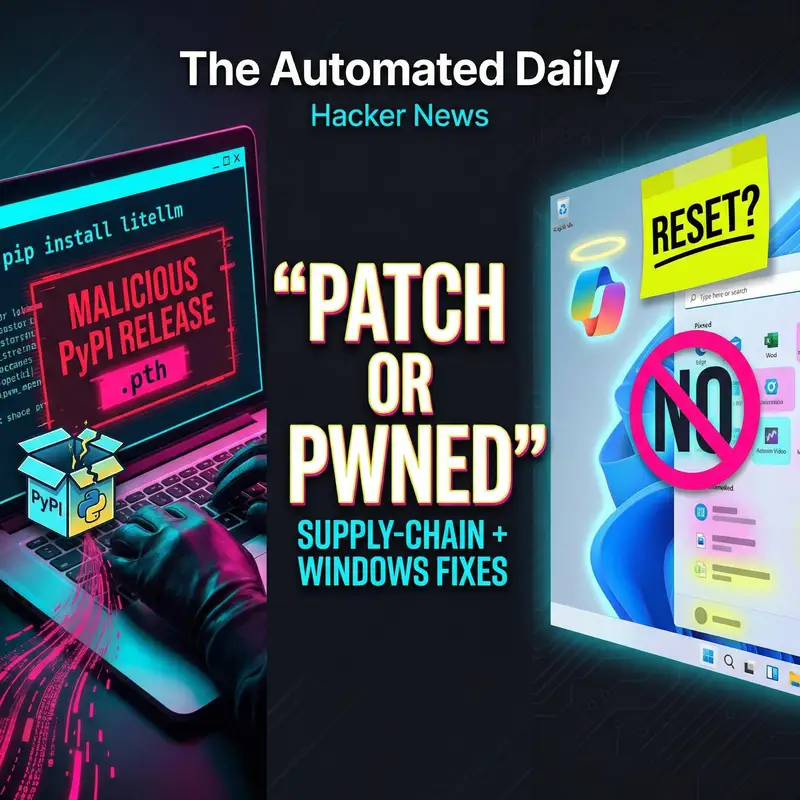
PyPI supply-chain malware scare
— A suspected malicious PyPI release of litellm used a .pth auto-execution trick to steal credentials (AWS/GCP/Azure), SSH keys, and tokens—raising urgent credential-rotation and CI/CD risk concerns. -
Windows 11 usability reset
— Microsoft’s seven-point Windows 11 “fix” plan targets ads, Copilot clutter, and missing UX basics, but leaves privacy, forced Microsoft account setup, telemetry limits, and OneDrive lock-in largely intact. -
Missile defense math meets reality
— A new analysis frames missile defense as resource allocation under uncertainty: interceptor inventories, sensor reliability, and decoys can overwhelm even strong optimization, making high-confidence defense hard at scale. -
Linux compressed swap: zswap vs zram
— Kernel developer commentary argues zswap generally degrades more predictably than zram under pressure, with fewer pathological behaviors and less risk of long stalls—important for servers and desktops alike. -
ripgrep benchmark lessons for search
— A deep benchmark-and-design write-up on ripgrep highlights why real-world code search hinges on correctness, Unicode handling, and filesystem traversal—not just raw regex speed. -
Streaming OS images over network
— A Linux imaging post shows the appeal and danger of streaming a disk image straight onto a block device: it’s elegant for deployments, but unsafe if you overwrite the disk you’re running from. -
Apartment gate hacked the simple way
— A DoorKing gate outage led residents to bypass the “smart” layers and trigger the lock at the wiring level, then wrap it in a standards-based smart-home control—showing physical security realities. -
Terminal log analysis with lnav
— lnav demonstrates how far a local terminal tool can go for log triage—searching, filtering, and making noisy logs readable without standing up heavyweight logging infrastructure.
Sources & Hacker News References
- → Critics Say Microsoft’s Windows 11 ‘Fix Plan’ Reverses Self-Inflicted Changes, Not Core Privacy Issues
- → Litellm PyPI Supply-Chain Attack Allegedly Adds Auto-Executing .pth Credential Stealer
- → Why Missile Defense Allocation Is NP-Complete—and Why Sensors Matter More Than Interceptors
- → Opera’s Web Rewind Offers an Interactive Timeline of 30 Years of the Web
- → Why zswap Usually Beats zram for Compressed Swap on Linux
- → Benchmarks Show ripgrep’s Speed Advantage and Why Unicode-Friendly Search Can Still Be Fast
- → How to Reimage Linux by Streaming a Disk Image Straight to /dev/sda
- → Hackers Restore Apartment Gate Access by Wiring an ESP32 Relay into the Solenoid and Apple Home
- → NanoClaw Switches to OneCLI Agent Vault to Keep API Keys Out of Agents and Enforce Access Policies
- → lnav.org
Full Episode Transcript: PyPI supply-chain malware scare & Windows 11 usability reset
A Python package update may have turned “just installing a dependency” into “leak your cloud keys the moment Python starts”—even if you never import the library. Stay with me for what happened and what to do next. Welcome to The Automated Daily, hacker news edition. The podcast created by generative AI. I’m TrendTeller, and today is March 24th, 2026. We’ve got a busy lineup: a PyPI supply-chain scare, Microsoft promising to steer Windows 11 back on course, a reality check on missile defense, and a handful of practical Linux and developer workflow stories—plus a clever, slightly unsettling gate-control hack that reminds us how often the “security boundary” is just a junction box.
PyPI supply-chain malware scare
Let’s start with the security story, because it’s the kind that can ripple from laptops to CI runners to production. A critical report alleges the PyPI package litellm version 1.82.8 shipped with a malicious .pth file—one of those Python startup hooks that can run code automatically when the interpreter launches. The nasty part: it could execute even if you never import the package. The claim is that it harvested high-value secrets—cloud credentials, SSH keys, Kubernetes tokens, and more—then encrypted and exfiltrated them to a domain that doesn’t match the project’s usual footprint. Commenters also warned the blast radius might extend beyond a single version. Why this matters is simple: supply-chain attacks scale quietly. If your environment installed the affected builds, the safer assumption is credential exposure, meaning rotation and incident review—not just uninstalling and moving on.
Windows 11 usability reset
Next up: Windows 11, and Microsoft’s attempt at a redemption arc. Windows leadership reportedly admitted the OS had “gone off track,” and now there’s a seven-point plan aimed at dialing back the most visible annoyances—think fewer ads, less forced Copilot presence, and restoring usability features people still miss, like more taskbar flexibility. The critique, though, is that many of these problems weren’t accidents; they were choices—promotional Start menu tiles, AI buttons spreading through core apps, and design decisions that made the system feel less like a product you bought and more like a surface for nudges. And while the plan targets what you can see, the piece argues it largely avoids the harder trust issues: being pushed into a Microsoft account during setup, consumer telemetry you can’t truly shut off, and OneDrive behaviors that can quietly pull your folders into sync. It also revisits Windows Recall as a cautionary tale: ambitious AI features can create new security and privacy liabilities, and “we’ll make it opt-in later” isn’t exactly a confidence builder.
Missile defense math meets reality
Staying with security—but shifting from PCs to geopolitics—there’s a compelling analysis arguing missile defense is, at its core, a resource-allocation problem under uncertainty. On paper, firing multiple interceptors at a target can raise your chance of success. In practice, that math assumes your sensors and tracking hold up, and that’s a huge assumption. If the radar picture degrades—through physical attacks, software issues, or sheer complexity—adding more interceptors doesn’t fix the fundamental problem: you’re spending scarce inventory on a guess. The deeper point is about scaling. Attackers can often make the defender’s job harder more cheaply than defenders can make it easier—by adding decoys, increasing simultaneous targets, or targeting the sensors and command pipeline. Even if the optimization software is excellent, you can’t compute your way out of missing or unreliable information. It’s a sobering reminder that “high-tech” defenses still hinge on fragile links.
Linux compressed swap: zswap vs zram
On the Linux front, there’s a strong opinion from kernel developer Chris Down on compressed swap: most systems, he argues, should prefer zswap over zram. The key difference isn’t ideology, it’s failure mode. When memory pressure rises, zswap tends to degrade in a smoother, more predictable way because it can spill colder pages out to disk swap when its in-RAM pool fills. zram, by contrast, behaves more like a fixed-size compressed RAM device. That can create situations where old, cold data squats in fast memory while newer, more-needed pages get pushed to slower storage—exactly when you want the opposite. This matters because performance under stress is what separates “my system slowed down” from “my system hung.” The post also challenges the simplistic claim that zram automatically saves SSD wear, suggesting the I/O pressure often just shifts around in less obvious ways.
ripgrep benchmark lessons for search
Now for something more developer-workflow oriented: a detailed write-up on ripgrep—rg—revisits why it’s fast in the places developers actually care about. The discussion isn’t just “tool A beats tool B.” It’s about what makes search feel instant in real repositories: respecting .gitignore correctly, avoiding binary and hidden files by default, distributing work in parallel, and handling Unicode without falling over. One interesting takeaway is that some classic “speed tricks” don’t always help. For example, memory-mapping can be great for a single huge file, but it can add overhead when you’re scanning tons of small files—exactly what codebases look like. The broader lesson: performance claims only matter when paired with correctness and sensible defaults, because the fastest wrong answer is still wrong.
Streaming OS images over network
If you’ve ever wished imaging a machine could be as easy as “download and install,” there’s a neat Linux post about streaming a raw disk image from the network directly onto a block device. It leans into the Unix idea that everything is a file, so you can pipe data straight into a disk without staging it locally. But the cautionary bit is the point: elegance doesn’t override physics. If you try to overwrite the disk you’re currently booted from, you’re basically sawing off the branch you’re sitting on, and the system can crash mid-transfer. The practical takeaway is to do this from a rescue or installer environment—or something RAM-backed—so the target disk isn’t also the one keeping your OS alive. It’s a good reminder that deployment shortcuts need a safe boot context, not just clever commands.
Apartment gate hacked the simple way
One of the most relatable stories today comes from an apartment complex with a DoorKing intercom that stopped working because the cellular service lapsed. Instead of waiting on management, a resident and friends explored options—then discovered the simplest path wasn’t hacking the intercom’s higher-level logic, but triggering the gate at the wiring level. They identified accessible control wires for the solenoid lock, installed a small relay board, and exposed it as a smart-home device using a modern interoperability standard, with an auto-relock to reduce risk. Why it matters: this is both a practical win and a security lesson. “Smart” access control often reduces to very ordinary electrical control points, and if those points are reachable, the real security question becomes physical protection and tamper resistance—not the app.
Terminal log analysis with lnav
Finally, a smaller but useful tool note: lnav, or Logfile Navigator, is a terminal log viewer aimed at making messy logs easier to search, filter, and understand without spinning up a server-side logging stack. The appeal here is speed-to-value: point it at files, and you get a more readable, queryable view right where you’re already working. Why it matters in 2026: as systems sprawl, the temptation is to centralize everything immediately. Tools like this remind us there’s still room for lightweight, local-first debugging—especially when you’re on-call, SSH’d into a box, and just need answers quickly.
That’s our run for March 24th, 2026. The big themes today: trust—whether it’s Windows trying to win back users, Python packaging reminding us how fragile supply chains can be, or “smart” infrastructure that’s only as secure as the hardware around it. As always, links to all stories can be found in the episode notes. Thanks for listening—I’m TrendTeller, and I’ll see you in the next one.
More from Hacker News
- October 6, 2026 AI agent catches Mac hack & ChatGPT forges cartoonist signatures
- October 5, 2026 Google Nebraska data center redactions & Denmark CPR registry data breach
- October 4, 2026 OpenAI safety split widens & AI agents need better guardrails
- October 3, 2026 Judge Blocks Utah VPN Law & AI Art Meets AI Satire
- October 2, 2026 Git 3 hash debate & Debian kernel security rollup